










Looks like this page isn’t allowed
This page has been blocked.
If you’re a student at Southwest, you’ve likely seen this many, many times. Whether you’re an AP student or a regular guy trying to play Google Snake, the ban-hammer strikes us all.
The frustration is undeniable, when you’re nose-deep in research and can’t pan that last piece of gold because of a single keyword. Or when you’ve finally gotten your students to sit down and work, only to realize that the YouTube video they need for their packet is blocked.
In short, everyone has something to say about Securly.
At HHS, Securly gets kids fired up, no doubt about it.
Within the first day of our poll being posted we received 18 responses; the consensus was overwhelmingly anti- Securly. Among the usual lament over blocked games (we miss you, Papa’s Wingeria) and frustrating blocks- there were some genuine complaints.
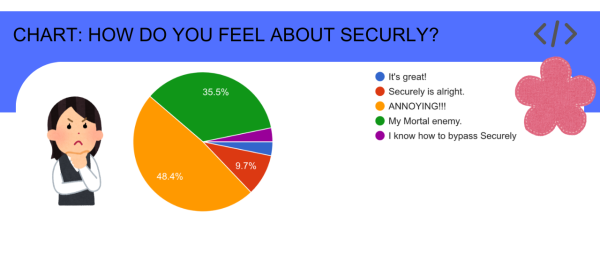
This frustration isn’t exclusive to Harrison, in fact, kids around the country are having their troubles with Securly.
Change.org has a petition entitled “Ban Securly” with 356 (as of writing this) signatures. Another petition, “End Securly for Good!” has 769 signatures. Both of these are just two examples of students endlessly frustrated by the “Gnomes” across the United States.
Another example is the app Securly Pass, which is meant to help admin and teachers keep track of wandering students and hall-passes. On the Apple AppStore, users have flooded the Securly Pass app with one-star reviews, culminating in an impressive rating of 1.1 stars. On their own, these reviews are incredibly entertaining. The pure frustration harbored by these students resulting in long, impressive narratives that do not relate at all to the actual workings of Securly Pass, but rather, how much it upsets them.
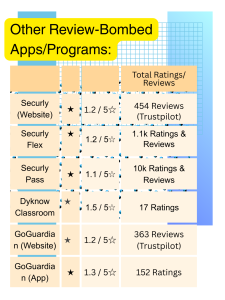
This isn’t unique to Securly, and its quite common for filtering and monitoring programs used by schools to be review-bombed by unhappy students. But that does introduce an important point- kids feel as if Securly is limiting them.
Many students compared Securly to spyware, others said it made it harder to research, the more technologically inclined bemoaned the stress it puts on our computers, or more precisely, the amount of data it uses.
We’ll cover those later, but right now, lets focus on what Securly is.
Harrison is just one of over 20,000 schools that use Securly. Founded in 2012/2013, Securly is just one of many k-12 school internet-filtering programs and its customers span the entirety of the United States.
On their website, Securly defines their mission as keeping K-12 students safe, secure, and ready to learn. Their vision is to ultimately create “A supported school learning environment for every student without violence, self-harm, bullying, and learning distractions.”
Over the years, Securly has carried out many studies on the effects of its program. And according to their website, the Securly On-Call team has saved more than 2000 student lives through their safety alert technology. To further this, Securly has an entire page dedicated to ‘customer success stories’ and case studies. And at an extremely affordable price point of (as of February 2026) $2.00-$6.00 per student for the general core filter. What’s not to love for a school district?
Well, I hope you remember our earlier grievances!
That being said, you’ve heard plenty about Securly, but what is Securly?
At its core, Securly is a web-filtering program for schools. In accordance with the CIPA (Children’s Internet Protection Act), Schools (and libraries) must have some sort of protection measure on their devices if they are going to receive discounts for internet access and the E-Rate Program- a program that makes certain communications products more affordable for these schools and libraries.
By CIPA guidelines, they must protect against obscene content, monitor student’s online activities, and educate students on ‘appropriate online behavior’.
Securly is not unique in concept, it is a part of a group of web-filtering softwares intended for parents and schools. Some notable examples being GoGuardian, Deledao, and Linewize.
These programs collect and filter data traffic, either blocking or allowing a site. And then ultimately, logging all traffic for administrator review- according to Securly’s product brief.
Securly also allows its users to block specific sites and words. Securly itself provides a list of the usual blocked sites. As Blocksi says “Using content filtering allows students to safely and securely access the web and browse whatever they like (or whatever their teacher allows at the moment) without the risk of stumbling upon sites featuring violence, weapons, alcohol, drugs, sex, gore, or other inappropriate, irrelevant material.” These filtering programs also allow school districts mobility through their own search measures and customizable block-list.
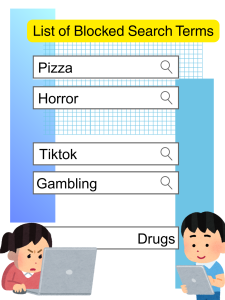
Content filtering is very important, that much is obvious. A majority of our poll respondents felt Securly’s blocks were overbearing. In that it “It blocks some things but not others”. And its key word search will outright ban a word if it is blocked. For example, “Pizza.” In all cases, pizza is blocked. But places to buy pizza- like Marcos and Little Ceasar’s are not blocked.
I spoke to our Tech Guy Nick about this, and he admitted that “Student’s biggest misconception is that we block things so they won’t have fun- but we’re blocking things to keep them safe.”
Safety is a major factor brought up in terms of school children. Mentioned before, the CIPA is meant to ensure schools follow these restrictions to protect their students and receive benefits in kind.
But at what point do blocks become more hinderance than help?
Securly espouses that its mission is, first and foremost, to protect students. Indeed, a noble goal. In their own student poll, students admitted that it blocks ads, indecent sites, and can overall make the internet feel safer. But that doesn’t eliminate the issues students may have with it.
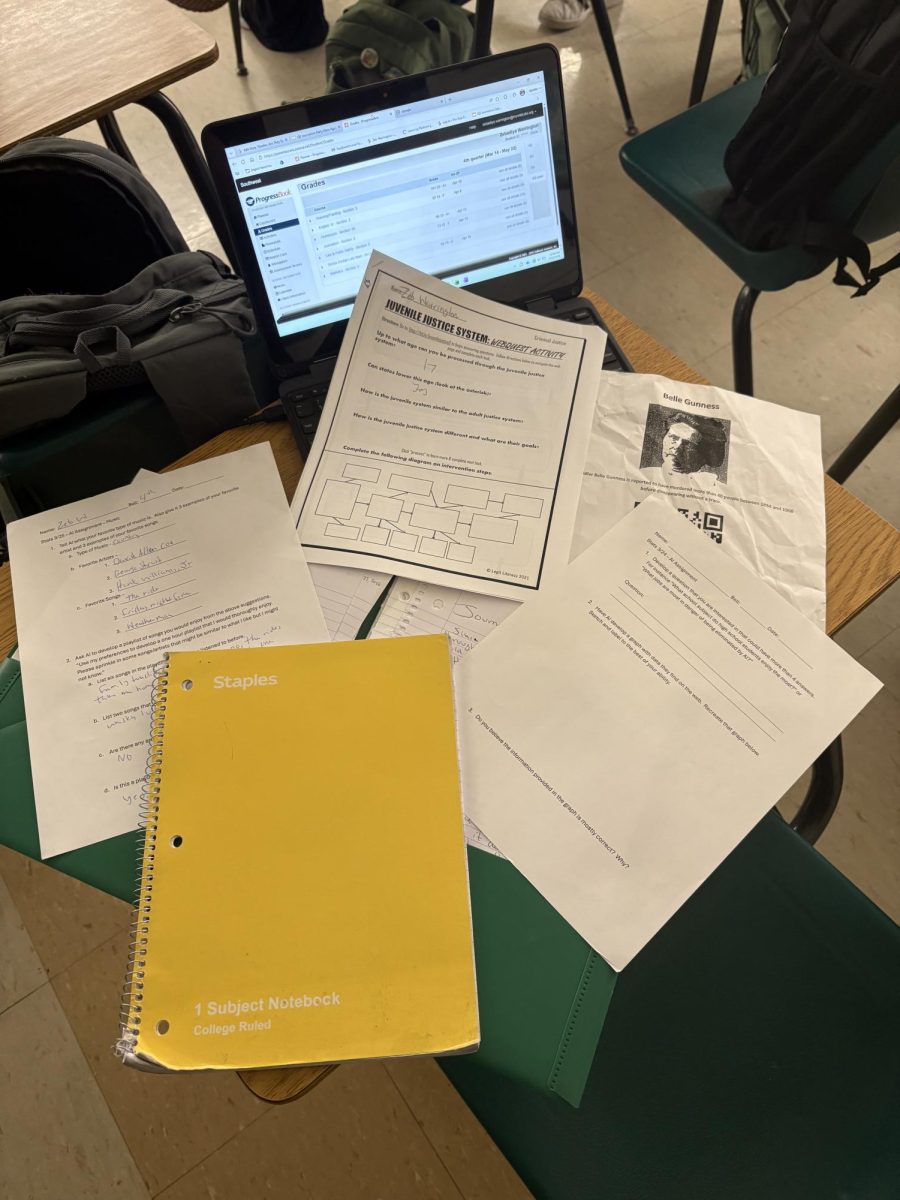
A major complaint from our poll respondents was that Securly often blocked the sites they needed to complete schoolwork. Of our 27 respondents, ALL of them said Securly made it harder to research.
Aside from the common thread of blocking sites needed for research, multiple students said it often prevented them from doing classwork.
I asked a friend of mine, Gwynevere Hill, who is knee-deep in research projects how she felt about this and she had a LOT to say.
“Securely is constantly restricting my research projects. For our major end of year project in college writing, I’m researching relationships (both platonic and romantic) and some of my sources use the word sexuality in them (used educationally) and they are blocked.” She continues “This means that to actually use my source I have to go home and annotate it from my personal computer”
With Gwyn’s already limited personal time, this often cuts into her sleep. Likewise, she raised the same complaint with blogs and non-academic sources.
This isn’t just Gwyn’s problem- this is a widespread district problem. Multiple students said that because YouTube is often blocked, they can’t access videos needed for their lesson when they need them. If your teacher wants notes for a Crash Course you need to watch the Crash Course.
Gwyn’s argument also brought up another issue- especially for lower-income students. If you do not have another device, you can’t get around the ban. Likewise, getting out your phone runs the risk of getting your phone taken.
Another Student Newspaper, The Lowell says this creates more stress for students. And with no easy way for a teacher to lift a ban- creates a massive conundrum for students.
If Securly is blocking sites we need to finish our classwork- this effects more than just our work, it eliminates entire lessons. And for teachers, can make or break that day’s learning.
Teachers have to put work into their lesson plans. There are many purchasable lessons and free activities online, but these are only an option if their attached sites aren’t blocked.
If a teacher knows ahead of time about a block, they can be given a reasonable amount of time to get around it or work out a solution. Already weaving around millions of distractions, a sudden block can effectively blow up a lesson plan.
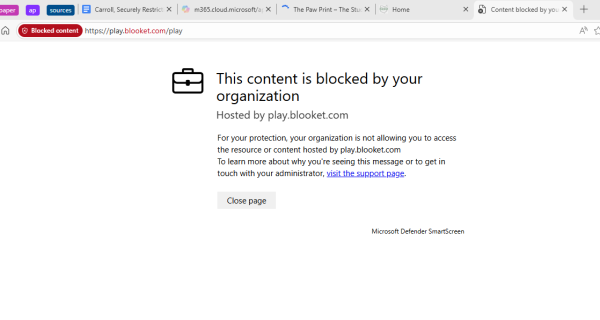
A personal example would be Blooket.
Launched in 2020, Blooket is a service, like Kahoot, that lets teachers create sets of questions for students to answer.
Blooket takes this a step further, rather than simple questions to be answered, Blooket accompanies it with a game. Making learning both fun and satisfying.
Blooket has been blocked since mid-December (At the very least). Though the website is still accessible, Securly does not allow you to actually join a game. Thus, Blooket is now yet another example, at least at Harrison, of a lesson plan lost to the wind.
My mom, Mrs. Carroll works at the Junior School, HJS, there she teaches STEM and PLTW courses. Highschoolers might remember dissecting a sheep brain or perfecting their microbit masterpiece in her class.
For years, she and the other PLTW teachers have found a never-ending battle against blocks. A recent example would be from two months ago, when her students opened their computers to finish their work- and found the site necessary blocked.
Of course, it wasn’t as simple as unblocking it from her end. And she began a long process of appeals to un-restrict this resource so her students could complete their work. This all happened because the automatic filter marked it as games.
Securly and other web-filtering programs are believed to help cut-down on distractions. This is because of its ability to block games, private-messaging, and especially social media. Other programs like GoGuardian allow teachers to directly lock and close student tabs. Securly is a bit more lax.
I asked my mom if she believed that Securly helped prevent distractions- her answer? “To a degree”. She emphasized that more often than not- kids just used it as motivation to be creative. “They spend more time finding loopholes than they do work.”
Acknowledging that the Junior High students are very different from Highschool students, this is still in line with our results. A majority of student respondents said that other students will just find a way around the ban- whether it be through manipulating the system or getting out their phone.
Because my mom is a teacher apart of Great Oaks, students are provided a computer owned by the Oaks in her classes. They use these computers so that they can complete their work and use programs provided by the oaks.
This allows her to also monitor their computers directly from her own. Through this she can see their tabs, check if they are on task, leave notes, send out impromptu quizzes, and direct lessons.
Finally, I asked my mom if she felt Securly frustrated her students. She did not. But she emphasized that above all else “it blocks the stuff I need for educational purposes” and “this can be extremely disruptive for a lesson plan”.
In my mom’s case, her students often have entire workdays solely for projects, coding, and research. If her students can’t change their code (because the site is blocked) then they can’t work on their project, and then they can’t get anything done.
She also mentioned the appeals process, saying that to this day some sites are still blocked, over a year later!
So yes, even teachers are bothered by the blocks.
In kind with the dislike for Securly’s ever-present blocking, students didn’t care for their constant location tracking and high data consumption either.
Securly, themselves, says that location tracking is meant primarily for “student safety and device security” which really means helping schools recover lost and/or stolen property. Securly also allows schools to force location-tracking on students computers.
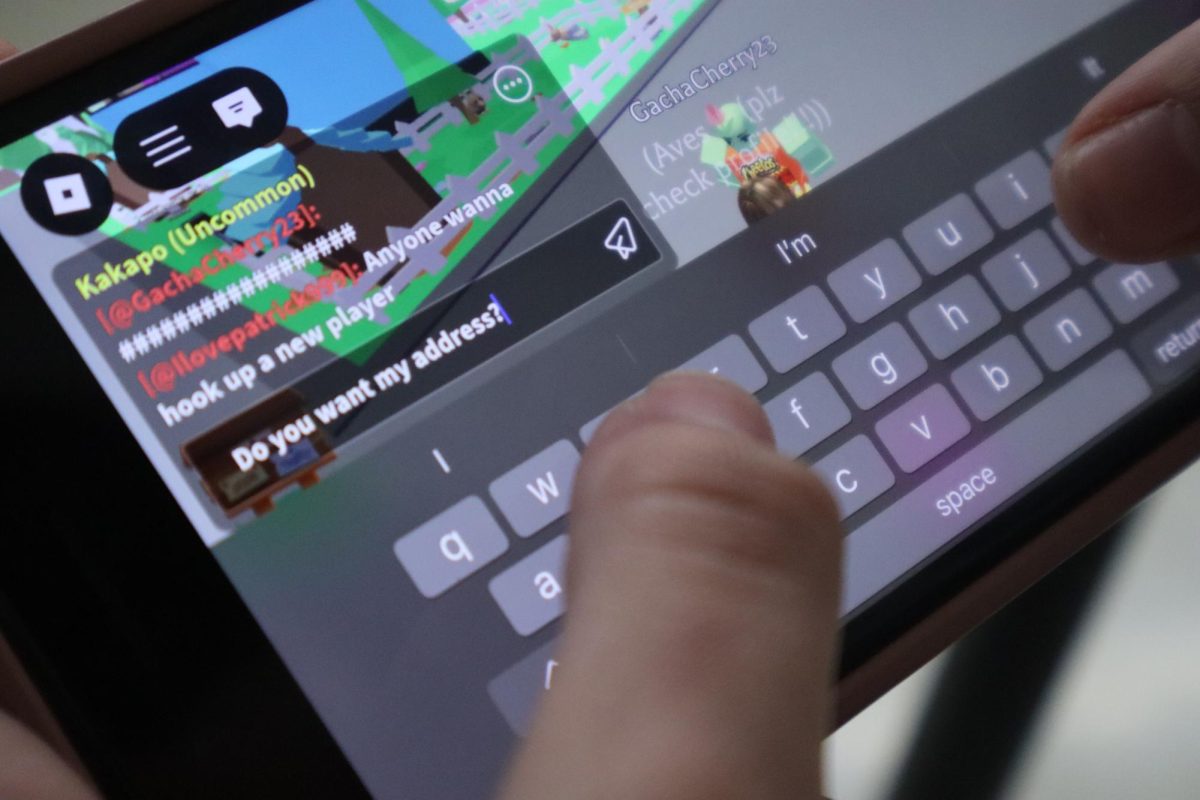
Many students expressed discomfort with the knowledge that Securly constantly tracked their location. You can’t get around this either- because if you deny location tracking, it will not allow you to search at all- blocking any and all searches.
Similarly, many students complained of the burden Securly places on our computers.
Because Securly is a proxy server, it filters all requests, your computer knows this address, it sends a request that is then routed to the proxy, which then gets the response from the web server and forwards the data from the page to your computer’s browser.
With this added step, Securly effectively makes search. The more tabs you have open, the more memory it eats up. And this significant weight places a burden on our computers, leading to them being super-slow and potential battery-draining shenanigans (remember 5/6 years ago when teachers made us check to see if our cromebooks were too hot because one apparently blew up somewhere?)
As the word proxy is blocked, I couldn’t find many answers on why a proxy server, specifically Securly slow our computers down so much.
Remember the Spotify ban we mentioned earlier? Well, that effected the Journalism team too.
Every issue we usually have a playlist. Typically themed around the season or holiday, playlists were a fun way to contribute when you didn’t feel like writing another article. Or were in a time-crunch before an issues release.
In one fell swoop, we lost another fun means of engagement for our readers.
Many Journalism staff members expressed discontent with Securly.
Henry Walker, our Entertainment editor bemoaned that searching for actors and films was frequently blocked.
“Dick Van Dyke. Genuinely! The name cannot be searched due to his first and last name. He’s a friggin’ Disney actor! Also Rotten Tomatoes and IMDb. They can have R rated pages blocked if needed, but otherwise., we should have access to this.”
As a further anecdote, the word “Horror” itself is also banned on our computers. No matter what, you absolutely cannot search up “Horror”. More careful searches for specific movies are a little more forgiving, but trouble, nonetheless.
In line with many of our responses, we felt a better process of appeals would significantly improve Securly. And from Nick’s earlier testimony, some of this isn’t just the district, but Securly itself.
This leads into our conclusion- Securly itself has its flaws that have encouraged students to get creative with workarounds. But that doesn’t make students and staff complaints any less important.
It is very important for students to be able to safely and securely (hah! get it?) when traversing the internet, but that doesn’t mean we should ignore the inherent need for expression among students. When something that should help becomes a hindrance, maybe it is time to reconsider the extent to what we can block.